You’ve nailed the first part of the journey. Your Lean Canvas glows green: customers have confirmed the pain, they love your hypothesis, and they are ready to swipe their cards. The adrenaline is pumping. It is finally time to build.
But here is where 90% of AI founders trip and fall.
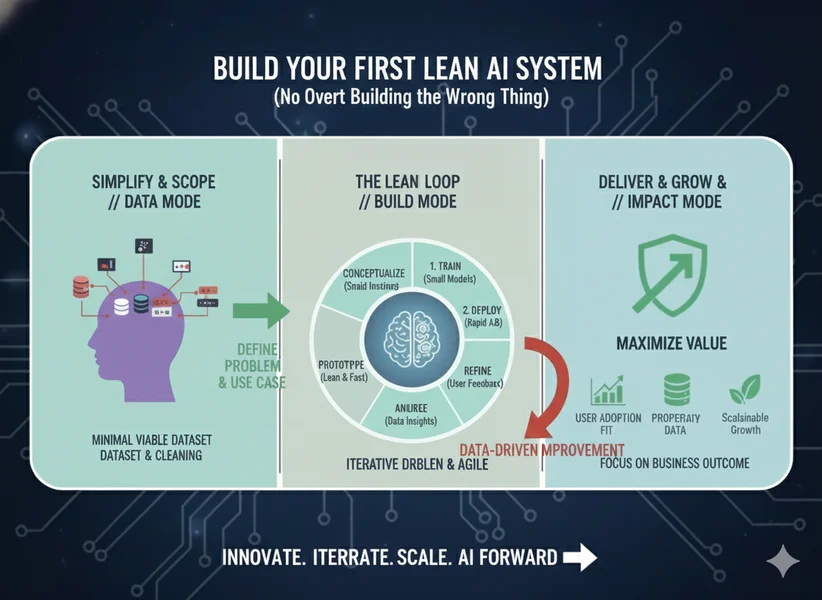
Driven by excitement and the fear of missing out on the next big tech trend, you dive into building a massive monolith. You start thinking about custom fine-tuning your own models, building complex multi-agent swarms that talk to each other in circles, and setting up heavy, expensive infrastructure.
Three weeks later, you are buried in technical debt. Your costs are spiraling because you’re using GPT-5.x for tasks a much smaller model could handle. Worst of all, your validation has stalled because you’re too busy debugging a "beast" of a system to actually show it to users.
For a solopreneur, technical debt is the ultimate pivot killer. If your architecture is a tangled web, you cannot change direction when a customer says, "Actually, I need this instead of that." You need a system that is lean: quick to build, cheap to run, and dead simple to swap when your learnings demand a shift.
Enter the Modular AI Architecture—a decoupled system designed for speed, flexibility, and the survival of your startup.
The Lean AI Philosophy: Decoupling for Dear Life
In traditional software development, components are often tightly coupled. If you change your database, you have to rewrite your UI logic. In the AI era, this approach is a death sentence. Models, embedding techniques, and vector databases are evolving every single week. What is "state-of-the-art" today will be a legacy bottleneck by next Tuesday.
The standard for 2026 is Composable Architecture. Think of your AI system as a collection of LEGO blocks rather than a single molded piece of plastic. If a better "block" (like a cheaper model or a faster database) comes along, you simply swap it out without rebuilding the entire castle.
The 5 Layers That Pivot With You
To remain lean, we divide our AI system into five distinct, decoupled layers:
1. The UI Layer (The Face)
This is where the user interacts with your logic. For a Lean AI system, we prioritize "Goals & Structure" over "Visuals & Vibe." Do not waste three days picking a hex code for your buttons. Use "Low-Code" or "Prompt-to-App" tools like Streamlit, Bolt.new, or Gradio. Your goal is a functional interface that allows users to input data and receive AI-driven value.
2. The Orchestration Layer (The Glue)
This is the connective tissue of your app. It manages the "if-this-then-that" logic. Tools like n8n, Gumloop, or Vellum allow you to build complex workflows visually. This layer handles the data flow: it takes the user's input, fetches the right context, sends it to the model, and formats the output. If you need to pivot your workflow logic, you do it here, not in the code of your UI.
3. The Models Layer (The Brain)
This is the most volatile layer. Today you might use OpenAI; tomorrow you might want to use Anthropic’s Claude for its superior reasoning, or a local Llama model to save on costs. To stay lean, you must use a unified gateway like LiteLLM or Portkey. These tools provide a single API that connects to over 1,600 models. Switching models becomes as simple as changing a single string in your config file.
4. The Retrieval Layer (The Context)
AI is only as good as the information it can access. This is where Retrieval-Augmented Generation (RAG) comes in. Think of it as giving the AI an "open-book exam." Instead of training the model on your data (which is slow and expensive), you store your documents in a lean vector store like Pinecone or even a local FAISS index. The system "retrieves" the most relevant snippets and hands them to the AI to ground its answer.
5. The Storage Layer (The Memory)
Finally, you need a "Lean Vault" to store user data, experiment logs, and feedback. Supabase or Airtable are the gold standards here. They provide instant APIs and allow you to see what is happening in your system without building a custom admin dashboard.
The Pro Lean Stack for Solos (2026 Edition)
To build fast, you need the right tools. This stack is curated for maximum output with minimum maintenance:
Layer | Recommended Tool | Why It’s Lean |
|---|---|---|
UI | Streamlit / Bolt.new | Go from a prompt to a deployed app in under 10 minutes. |
Orchestration | n8n / Gumloop | Visual logic builders with "code fallbacks" for when you need custom Python or JS logic. |
Gateway | LiteLLM / Portkey | Prevents vendor lock-in. Switch from OpenAI to Anthropic in one line of code. |
Observability | Helicone / Langfuse | Set up in 2 minutes to track every cent you spend and every hallucination the AI has. |
Database | Supabase | Instant REST API, authentication, and database—zero server management required. |
Step-by-Step: Vibe Code Your Thin Slice in 48 Hours
Let’s put this into practice. We’re going to build a "Thin Slice" of the AI Lead Scorer we hypothesized in Post 1.
Don't build a full user management system. Your Project Charter should limit you to exactly three features. For our lead scorer, these are:
- Input: User uploads a CSV of leads.
- Logic: AI compares leads against an "Ideal Customer Profile" (ICP) document.
- Output: A ranked table with a "Score (1-10)" and a "Reason."
"Vibe coding" is the art of using high-level prompts to generate functional code without getting bogged down in syntax. Using an editor like Cursor or an LLM like Claude, you can build the core engine fast. Vibe Code Prompt for Cursor (Model Routing + RAG):
Build a Python backend using LiteLLM to route queries. Create a logic gate: If the lead company size is > 5000, use Claude-4.x-Sonnet for high-reasoning scoring. If the company is smaller, use other less expensive models to save 90% on costs. Integrate a simple RAG search: read my 'ICP_Criteria.pdf', chunk it, and store it in a local FAISS index. For every lead, retrieve the relevant ICP criteria and include it in the prompt to ground the score. Use Helicone as a proxy for cost tracking.You cannot improve what you do not measure. In AI systems, "it feels like it's working" is a dangerous assumption. You need to track the RAG Triad:
- Context Precision: Did we retrieve the right information?
- Faithfulness: Did the AI stay true to the retrieved facts, or did it make things up?
- Answer Relevancy: Does the answer actually help the user?
"Add Langfuse tracing to my orchestration layer. Log every prompt, the retrieved context chunks, the final response, and the exact token cost. Add a 'Thumbs Up/Down' button next to every lead score in the UI. When a user clicks it, send that feedback directly to the Langfuse trace. If a user clicks 'Down', trigger a secondary LLM call to categorize the failure (e.g., Hallucination vs. Poor Reasoning)."
A modular approach isn't just a technical preference; it’s a business strategy.
Why This Beats Over-Engineering
A modular approach isn't just a technical preference; it’s a business strategy. Let’s look at the numbers:
Approach | Time to MVP | Pivot Cost | Monthly Burn |
|---|---|---|---|
The Monolith | 12 weeks | High (Must rewrite entire core) | $300+ (Fixed infra) |
Lean Modular | 2 days | Low (Swap 1 node/block) | $0–$20 (Pay-as-you-go) |
When you build with modules, you aren't married to your code. If a customer says, "I don't want a CSV uploader; I want this to live inside my Slack," you don't panic. You simply replace your UI Layer (Streamlit) with a Slack Bolt integration while keeping your Orchestration, Model, and RAG layers exactly as they are.
The 48-Hour Challenge: Prompt to Prototype
Stop reading and start vibing. Your mission is to take your Lean Canvas from Post 1 and build a "Thin Slice" using n8n or Gumloop.
The Path Forward
By building a modular system, you have protected yourself against the two biggest threats to a solopreneur: high costs and the inability to change. You now have a working prototype that is "production-aware"—it tracks costs, it measures quality, and it’s ready for the real world.
Next Up: Post 3 – High-Value Lean AI Use Cases for Solo Founders. Now that you have the system, what should you actually sell? We will look at how to turn your prototype into a "micro-offer" that generates its first revenue and solves problems so painful that customers will ignore your "unfinished" UI just to get the results.
Are you ready to turn your prototype into a product? See you in the next post.

No comments yet
Be the first to share your thoughts on this article!